



!-- jQuery -->
الصفحة الرئيسية
>
مدونة
>
7 Best Frame.io Alternatives in 2026 (Compared)
Resources /
ارجع

7 Best Frame.io Alternatives in 2026 (Compared)

March 26, 2026

Video has become central to modern marketing and storytelling. According to a widely cited Wyzowl survey, more than 90 percent of businesses rely on video marketing — and most nonvideo marketers plan to start soon. At the same time, creative teams now work remotely or in hybrid setups, which puts extra pressure on collaboration tools.

Frame.io helped popularize cloud-based video review. But its steep learning curve, high perseat pricing, and requirement for clients to create accounts can slow teams down. If you've ever scrambled to collect feedback, juggled multiple file versions, or watched delays pile up, you're not alone.

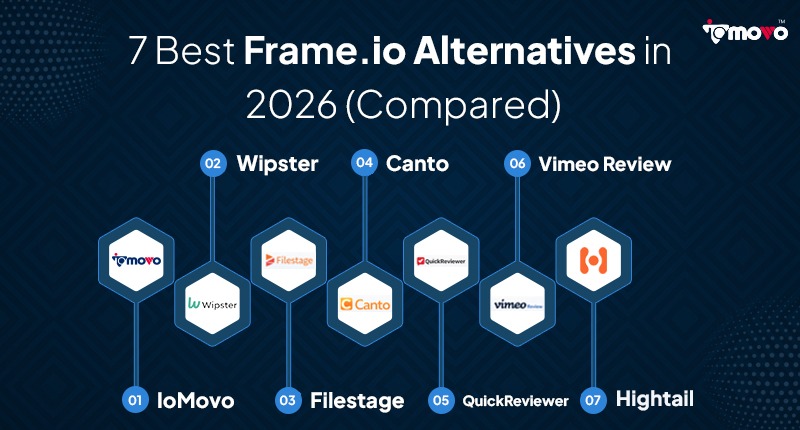
Below we compare 7 Frame.io alternatives across features, pricing, and digital asset management workflow fit — so you can find the right tool for your team.

Quick Answer: Best Frame.io Alternatives in 2026

  • Best Overall (AI + DAM): ioMoVo — AI-powered storage, search, and workflow automation
  • Best for Video Review Cycles: Wipster — dedicated video feedback and approval tracking
  • Best for Agency Workflows: Filestage — structured approval workflows with client portals
  • Best for Brand Assets: Canto — DAM focused on brand consistency
  • Best Budget Option: Quick Reviewer — affordable review tool from $29/user/mo
  • Best Integrated Hosting: Vimeo Review — hosting + review tools in one platform
  • Best Large-File Sharing: Hightail — send files up to 500 GB with review features

Frame.io Alternatives — At a Glance

Tool Best For Starting Price AI Features Multi Cloud Free Plan
ioMoVo AI-powered full DAM $9/mo Yes Yes Yes
Wipster Video review cycles $25/user/mo No Partial No
Filestage Agency approval workflows $49/mo No No Yes
Canto Brand asset management Custom Partial Yes No
Quick Reviewer Budget-friendly teams $29/user/mo No No Yes
Vimeo Review Integrated hosting + review $12/mo Partial No Yes
Hightail Large-file sharing $12/mo No No Yes

1. ioMoVo — Best Overall for AI-Powered Digital Asset Management

Source: iomovo.io/pricing

ioMoVo is an all-in-one digital asset management platform designed for professional creators. It tackles many of the pain points that plague Frame.io users — from disconnected storage to manual tagging and slow client review cycles.

Key Features

  • Unified multi-cloud storage (ioHub): Connects Dropbox, Google Drive, OneDrive and local servers into one searchable hub. AI algorithms transcribe, tag, and categorize all content — cutting asset search time by 90%.
  • Auto-tagging and AI summarization: Speech-to-text and computer vision generate transcripts, keywords, highlights, and chapters automatically. Saves 20–30 hours per week per team.
  • Workflow automation (ioFlow): Task assignments, status updates, and customizable approval sequences. Uploading a draft can auto-notify reviewers and move approved files to the correct folder.
  • Secure client portals (ioPortal): Branded, password-protected portals. Reviewers don't need complex sign-ups — reducing friction for clients.
  • Adobe & Microsoft integrations: Direct integrations with Adobe Premiere Pro, After Effects, Microsoft Office. SOC 2, GDPR, and HIPAA compliant.

Pricing

  • Free: $0/mo — 2 users, 2 GB storage, all plugins
  • Starter: $9/mo — unlimited users, 10 GB storage, full feature access
  • Plus: $49/mo — 100 GB storage, AI features, all modules
  • Pro: $149/mo — 1 TB storage, priority support, dedicated manager
  • Custom/Enterprise: contact sales — BYOS, on-prem, advanced security

PROS CONS
AI search cuts retrieval time by 90% Full feature set has a learning curve
All-in-one DAM + review in one platform AI features require Plus plan ($49/mo)
Unlimited users on all paid plans Newer platform vs established competitors
No client account required to review  
SOC 2, GDPR, HIPAA compliant  
Free plan available  
🏆 Best for: AI-powered teams and organizations needing a full DAM with video review, automated workflows, and secure client portals.

Wipster — Best for Video Teams Managing Complex Review Cycles

Source: wipster.io

Wipster is designed for video teams wanting a centralized dashboard to track review cycles. It allows users to share work, collect feedback, and monitor progress. Reviewers can leave annotations and comments on specific frames, and the platform integrates with Dropbox, Google Drive, and Slack.

Pricing

  • Free trial available
  • Starter: $25/user/mo — access controls, version control, task management, workflow management
  • Enterprise: custom pricing
PROS CONS
Strong frame-accurate annotation tools No AI tagging or automated metadata
Clean, video-focused interface Entry price higher than some alternatives
Slack, Dropbox, Google Drive integrations No multi-cloud unified search
Good version history and comparison $25/user/mo can add up for large teams
🏆 Best for: Video production teams that need structured, frame-accurate review cycles and approval tracking as their primary workflow.

Filestage — Best for Agency Approval Workflows

Source: filestage.io

Filestage is a content review and approval platform built for creative teams and agencies. It supports video, images, PDFs, audio, and websites in one place, making it ideal for teams managing multiple content types across multiple clients.

Key Features

  • Multi-format review: Video, PDF, image, audio, and website proofing in one platform.
  • Structured approval workflows: Define approval stages with named reviewers. Every stakeholder knows exactly when it's their turn.
  • Client-friendly portals: Clients review without creating an account. Share a link and collect consolidated feedback.
  • Version comparison: Side-by-side version compare keeps revision history clear.

Pricing

  • Free plan: unlimited reviewers, 5 active projects
  • Basic: $49/mo — 3 users, 20 active projects
  • Professional: $249/mo — 10 users, unlimited projects, custom branding
  • Enterprise: custom pricing
PROS CONS
Structured multi-stage approval workflows No AI search or auto-tagging
Free plan available with unlimited reviewers Not a full DAM solution
Supports video, PDF, images, audio, web Can get expensive on larger team plans
Very client-friendly — no account needed Storage limits on lower tiers
Clean, professional interface  
🏆 Best for: Agencies and creative teams that need formal, multi-stage approval workflows across multiple content types and client accounts.

Canto — Best for Brand Asset Management

Source: canto.com

Canto is a dedicated digital asset management platform focused on brand consistency. It gives marketing teams a searchable library of approved brand assets — logos, images, videos, templates — with fine-grained permission controls. Teams looking for brand asset management alternatives will find Canto's structured library and brand portal useful.

Key Features

  • Brand portal: Publish a self-serve portal so teams and partners can find and download approved assets without emailing the marketing team.
  • AI-assisted search: Tag and find assets using visual search and keyword suggestions.
  • Integrations: Connects with Adobe Creative Cloud, Salesforce, HubSpot, Slack, and more.
  • Version control: Track asset versions and maintain a clear audit trail.

Pricing

  • Custom pricing — contact Canto for a quote. No public pricing available.
PROS CONS
Excellent brand portal and brand governance No public pricing — requires sales call
AI-assisted search and tagging Not primarily a video review tool
Strong integrations with Adobe, Salesforce Overkill for small teams or single projects
Mature platform with enterprise track record Video-specific collaboration tools are limited
Good version control and audit trail  
🏆 Best for: Marketing and brand teams that need a structured DAM to manage and distribute approved brand assets at scale.

QuickReviewer — Best Budget-Friendly Option for Small Teams

Source: quickreviewer.com

QuickReviewer is a cloud-based tool for design and video review. It offers real-time collaboration, version control, annotation, task management, and notifications. Reviewers can mark up PDFs, images, and videos without installing software.

Pricing

  • Free: unlimited reviewers, up to 100 MB storage
  • Pro: $29/user/mo — 25 GB storage, white-label branding, workflow statuses
  • Premium: $84/user/mo — 250 GB storage, custom branding
PROS CONS
Very easy to learn and use 100 MB free storage is restrictive for video
Free tier with unlimited reviewers No AI features or automated tagging
Video, PDF, and image review supported No multi-cloud storage integration
White-label branding on paid plans Per-user pricing adds up for larger teams
🏆 Best for: Small creative teams or freelancers that need simple, affordable video and design review without complex setup.

Vimeo Review Tools — Best for Integrated Hosting and Review

Source: vimeo.com/features/video-collaboration

Vimeo's review system is part of its broader video hosting service. It includes time-coded comments, drawing tools, threaded discussions, approval workflows, and role-based permissions. Remote teams can even host live review sessions.

Pricing

  • Free: 1 GB storage, 1 seat
  • Starter: $12/mo — 100 GB storage, custom players, basic review tools
  • Standard: $25/mo — 2 TB storage, 5 seats, AI script generator
  • Advanced: $75/mo — 7 TB storage, 10 seats, AI chapters, live streaming
PROS CONS
Hosting and review tools in one platform Gets expensive as seats increase
Time-coded comments and drawing tools No multi-cloud storage integration
Trusted, established video platform Not a full DAM solution
AI script generator on Standard+ Limited workflow automation
Free plan available  
🏆 Best for: Teams that want video hosting and review in a single platform, especially those already using Vimeo for publishing.

Hightail — Best for Simple, Large-File Sharing with Review

Source: hightail.com

Originally known as You Send It, Hightail focuses on large-file sharing and collaboration. It includes a simple approval workflow and unlimited reviewers on paid plans. It's a good option when file size is the primary concern.

Pricing

  • Lite: Free — uploads up to 100 MB, 2 GB total storage
  • Pro: $12/mo — uploads up to 25 GB, unlimited storage
  • Teams: $24/user/mo — uploads up to 50 GB per file
  • Business: $36/user/mo — uploads up to 500 GB per file
PROS CONS
Supports very large file uploads (up to 500 GB) Basic annotation tools — limited for video
Unlimited reviewers on paid plans No AI features
Simple, easy-to-use interface Not a full DAM platform
Good for occasional large file sharing No multi-cloud integration
Free plan available Review tools less advanced than competitors
🏆 Best for: Teams whose primary challenge is sending large files to clients and collecting simple approval sign-offs, rather than complex review cycles.

Real-World Example: How ioMoVo Handles Scale

For a real example of what AI-powered DAM can achieve at scale, see the Voice of America case study — covering how a global, multilingual media operation unlocked AI-powered media intelligence across distributed teams.

The Real Cost of Poor Video Collaboration

Every creative project generates a mountain of files and feedback. Yet many teams still spend a significant amount of time just searching for content. A McKinsey study found knowledge workers waste roughly 1.8 hours each day — nearly a quarter of the workday — searching for information.

This inefficiency has a human cost too: 41 percent of workers have either left a job or considered leaving due to poor collaboration, and two-thirds say bad collaboration costs them at least three hours of productivity each week.

What to Look for in a Frame.io Alternative

  • Ease of use: Reviewers should be able to comment without complex sign-ups.
  • Real-time and asynchronous feedback: Time-stamped comments, threaded discussions, and annotation tools.
  • Version control and approvals: Clear revision history, side-by-side comparison, final approval workflow.
  • Workflow automation: Automated reminders, status tracking, and task assignments.
  • Integrations: Adobe Premiere Pro, DaVinci Resolve, Slack, cloud storage.
  • Pricing transparency: Plans that scale sensibly. Unlimited reviewers or projects are a major advantage.
  • Security and compliance: Granular permissions and SOC 2 / GDPR / HIPAA support for regulated industries.
  • AI capabilities: Automated tagging, transcription, and search — increasingly essential as libraries grow.

Conclusion: Which Frame.io Alternative is Right for you?

Frame.io transformed video review when it launched, but as projects become more complex and teams more distributed, its limitations are increasingly apparent. The right alternative depends on your team's primary need.

Your Primary Need Best For
Full AI-powered DAM + video review ioMoVo
Structured video review cycles Wipster
Agency approval across multiple clients Filestage
Brand asset governance Canto
Affordable review for small teams QuickReviewer
Hosting + review in one place Vimeo Review Tools
Sending very large files with sign-off Hightail

If your organization needs more than just proofing — AI-powered search, workflow automation, and secure client portals — book a demo with ioMoVo to see how AI-powered DAM can transform your creative workflow.

املأ النموذج أدناه للبدء!

شكرًا لك! تم استلام طلبك!
عفوًا! حدث خطأ ما أثناء إرسال النموذج.

Transform How Your Organization Manages Content

Unlock hidden value in your content with AI — faster discovery, better workflows, and organized collaboration 

Ready to see how ioMoVo can fit your team?

March 26, 2026
March 26, 2026
March 26, 2026
7 Best Frame.io Alternatives in 2026 (Compared)
Frame.io is built for video review — not full DAM. We compared 7 alternatives on features, pricing, and media workflow fit. ioMoVo, Wipster, Filestage and more.
https://www.iomovo.io/